Kindle to text, with a PDF alongside it
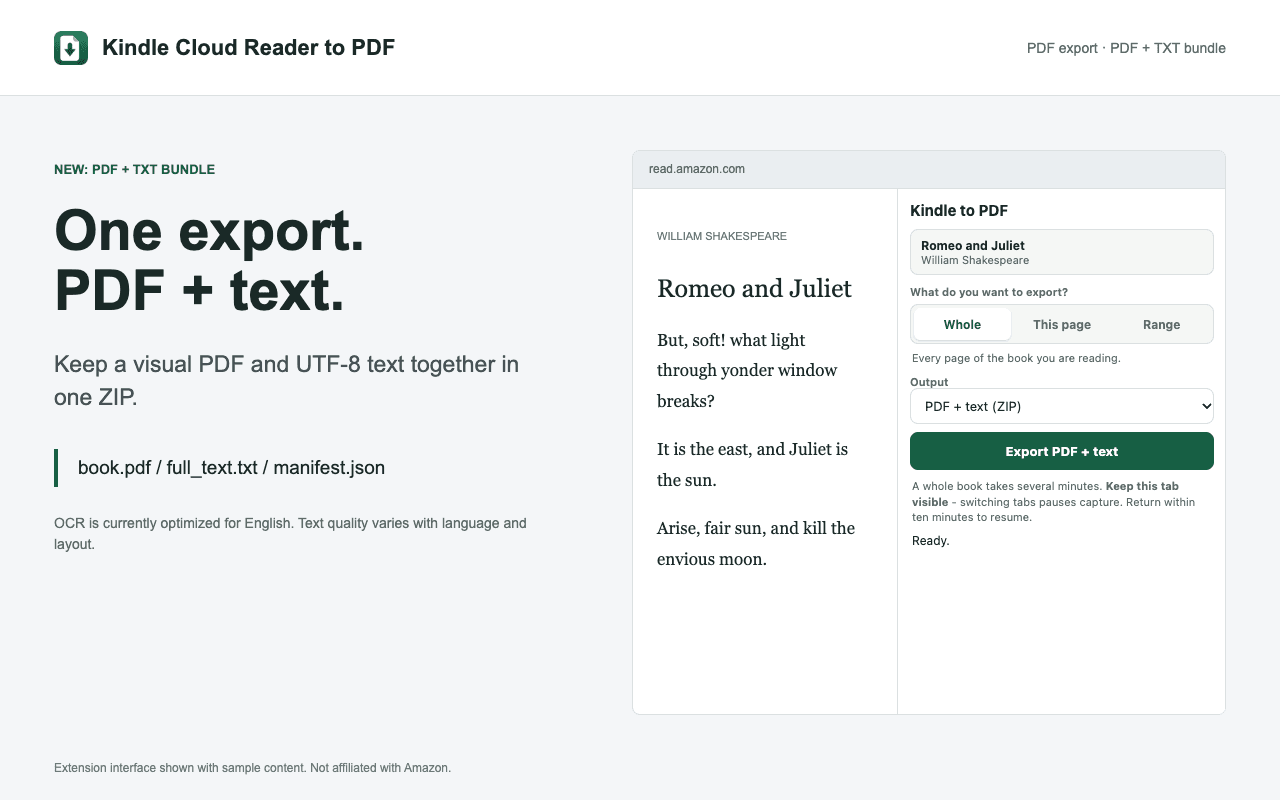
Save a passage, a selected chapter range, or a whole book as a PDF + text bundle. Keep the visual source alongside editable UTF-8 text for your notes, reference searches, and research tools.
Add to Chrome, FreeDesktop Chrome required. PDF-only remains the default. OCR is currently optimized for English.
How it works
- Open a book you are authorized to export in Kindle Cloud Reader.
- Choose Whole, This page, or Range. Ranges use Kindle's displayed page or location labels.
- Select PDF + text (ZIP), then export with the Kindle tab selected.
- Unzip book.pdf, full_text.txt, and manifest.json. Check extracted passages against the PDF before citing them.
A source copy and working text in one download
Use the TXT file to search across passages, organize reading notes, or move permitted excerpts into your research workflow. Keep book.pdf for the original visible layout. TXT does not preserve typography, illustrations, or reliable printed-page numbering. The manifest records export details and text-extraction warnings.
Languages and capture limits
Visual PDFs tested with English, Japanese, German, French, Spanish, Dutch, Hindi, and Portuguese books. Popup translations: English, German, Spanish, French, Italian, Japanese, Dutch, and Brazilian Portuguese. The extension supports 13 regional reader sites. It does not translate books; visual language support is separate from OCR accuracy.
Keep the Kindle tab selected during capture. Switching tabs pauses capture; return within ten minutes to resume. Whole-book exports can take several minutes. A PDF page represents one captured reader spread, not necessarily one printed book page. Ranges require a numerical reading position.
Frequently asked questions
Can I download only a TXT file?
The extension offers standalone PDF or a PDF + text ZIP, not a separate TXT-only mode. Extract full_text.txt from the ZIP when you need text. PDF remains the default output.
Is text extraction free?
Yes. Current-page, range, and whole-book exports are free, with no extension account or paid plan. You still need access to the book through your Amazon account.
What if OCR finds no readable text?
Use PDF-only instead. Illustration-only pages can have no extracted text; bundle warnings are recorded in the manifest. Search and extracted text quality depend on OCR.
Where does processing happen?
Selected content is sent over HTTPS to the Kindle to PDF rendering service. OCR is not advertised as browser-local. The extension does not send your exports to AI services.
Related workflows
- Kindle to text for notes and research
- Kindle OCR and searchable PDF limits
- Kindle excerpts for ChatGPT and Claude
Export and reuse only content you are authorized to copy. Kindle to PDF is not affiliated with Amazon or any AI provider.